By Sarina Gomez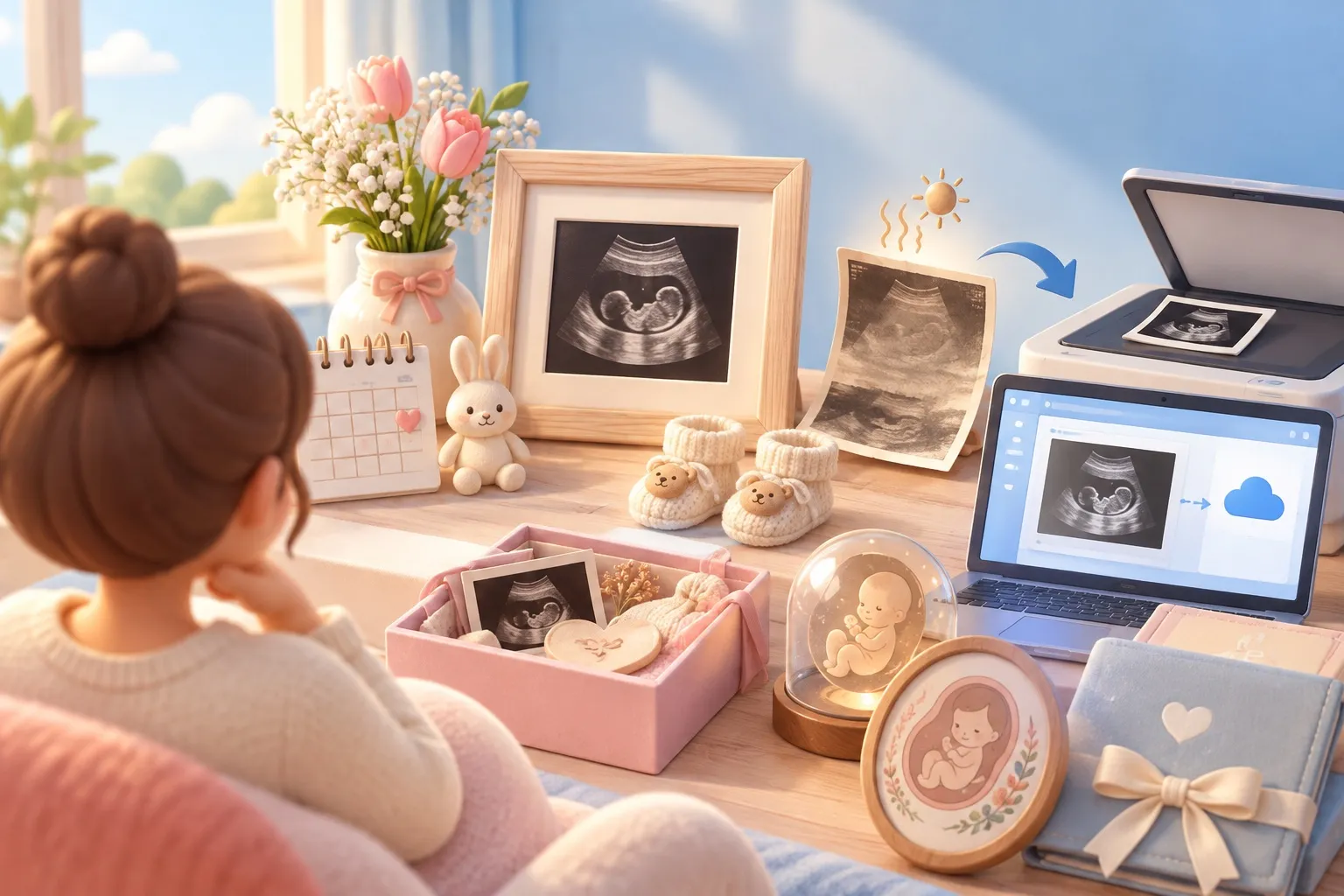
The best ultrasound keepsake starts with a digital copy. Many scan printouts come off a small heat-sensitive printer, and that kind of paper darkens and fades within a few years, so save a good scan of each picture first, then frame, print or craft from the copy. Below: why printouts fade, a 10-minute save routine, and keepsake ideas you can make or buy.
Why ultrasound printouts fade
Many clinic printouts are thermal prints: the image is made by heat on coated paper, like a store receipt, rather than with ink. If yours is glossy on one side, curls at the edges and has a faint gray cast, it is probably thermal.
Thermal paper is unstable. The University of Illinois paper-conservation guide notes that thermal copies begin darkening and fading within five years, and that light, heat and high humidity speed that up. That rules out a few common habits:
- The fridge door. Daylight and kitchen heat both work against the print.
- Heat lamination. A hot laminator applies exactly the heat that darkens thermal paper.
- A sunny frame on the windowsill. Even under glass, light keeps fading the image.
None of this means the original is lost. It means the original should go in a folder in a drawer, and the copy should do the work.
How to save your scans in 10 minutes
Digitize every printout the week you get it, while the contrast is still sharp. The Library of Congress gives simple guidance for scanning personal collections, and it applies well to scan photos:
- Scan at 300 dpi if you’ll print the copy at its original size. Use 400 or 600 dpi if you plan to enlarge it to 8x10 or bigger, which is worth doing for the one picture you’ll frame.
- No scanner? Use your phone. Lay the printout flat on a dark, matte surface near a window, turn off the flash, and hold the phone directly above so the edges are straight. The document scanner in Apple’s Notes app, and in many other apps, flattens and crops for you.
- Name files by date, such as
20261010-20-week-scan-profile.jpg. The Library of Congress suggests a year-month-day format so files sort in order. - Keep at least two copies in different places, for example your phone’s cloud backup plus a USB drive at a relative’s house. The Library’s photo archiving tips suggest copies stored as far apart as practical and a yearly check that you can still open them.
- Store the original flat and dark: an envelope or acid-free folder in a drawer, away from heat.
At your next appointment, ask whether the clinic can share images digitally. The NHS notes that some hospitals charge for scan pictures, and policies vary in the US too, so ask before the scan rather than after.
One privacy step before you post or send anything to a maker: printouts often show your name, date of birth, clinic name or a patient ID in the text band. Crop or cover it on the copy. Our guide on how to read an ultrasound picture explains what each label on that band means.
DIY ultrasound keepsake ideas
Homemade keepsakes are cheap, quick and work from a printed copy, so the original stays safe. A few that hold up well:
| Idea | What you need | Time | Tip |
|---|---|---|---|
| Scan-by-week frame | Multi-opening frame, photo prints of each scan | 30 min | Leave one opening empty for the first newborn photo |
| Scan and bump diptych | Two matching frames | 20 min | Shoot the bump photo the same week as the scan |
| Clear ball ornament | Clear plastic ornament, transparency print of the scan | 30 min | Roll the print loosely so it uncurls inside; add the due date on a tag |
| Line drawing of the profile | Tracing paper, fine black pen, good paper | 1 hr | Trace only the forehead, nose and lips; it reads better than a full outline |
| Baby book first page | Printed copy, archival photo corners | 10 min | Write the week, the date and who was in the room |
| Letter to the baby | The scan copy and a card | 20 min | Seal it and add “open on your 18th birthday” |
If you’re planning to share the news with a scan picture, our ultrasound announcement ideas and pregnancy announcement photoshoot guides pair well with the diptych and frame ideas above.
Keepsakes to buy, and what to send the maker
Buying a keepsake makes sense when you want a finish you can’t get at home: engraving, embroidery or a printed photo book. Popular options include custom line-art prints of the profile, engraved wooden frames, embroidered hoops traced from the scan, metal or acrylic prints and photo books with one page per appointment.
Before you order:
- Send the high-resolution digital copy, never the original printout.
- Crop out personal details from the text band first.
- Ask for a proof before printing, especially for line art, where a stray line can change the nose.
- Check the material. A print on photo paper or metal doesn’t rely on heat-sensitive coating, so it won’t darken the way a thermal printout does.
An imagined baby portrait next to the scan
Some parents like to frame the scan with a face beside it. SeeMyBaby turns one photo of your scan into an imagined newborn portrait in about a minute, which you can save to your phone and print next to the original. A clear 3D or 4D scan with a visible profile gives the closest result; a 2D scan still works, but the portrait is more imagined.
It’s for fun, not a forecast of your baby’s real face, and the app makes no medical reading of the scan. Your scan photo is held only while the portrait renders and is never stored. See how the ultrasound to baby portrait works, or browse more ideas on the SeeMyBaby blog.
Sources
- University of Illinois, Preservation Self-Assessment Program: Office copies (thermal)
- Library of Congress: Scanning your personal collections, Personal archiving: digital photographs
- NHS: Ultrasound scans in pregnancy
Questions parents ask
How do I keep ultrasound pictures from fading?
Scan or photograph them as soon as you get them, then store the originals flat in a dark folder away from heat and light. Use the digital copy for frames, crafts and sharing.
Can you restore a faded ultrasound picture?
Partly. Scanning a faded print and raising the contrast in a photo editor can bring back some detail, but once the image has faded or darkened fully, no edit can recover what’s gone. That’s why it’s worth saving copies early.
Can I laminate my ultrasound pictures?
Avoid heat lamination, because heat darkens thermal paper. Laminate or frame a photo-paper print of the digital copy instead.
Can I get a digital copy of my ultrasound from the clinic?
Many clinics can share images, though some charge for pictures. Ask at the start of the appointment so the sonographer knows which views you’d like.

Also available in: Deutsch · Español · Italiano · 日本語 · 한국어 · Português (Brasil)